AI Automation
What Business Tasks Can AI Actually Automate?
By Tony Stephenson, Founder of NautiQ
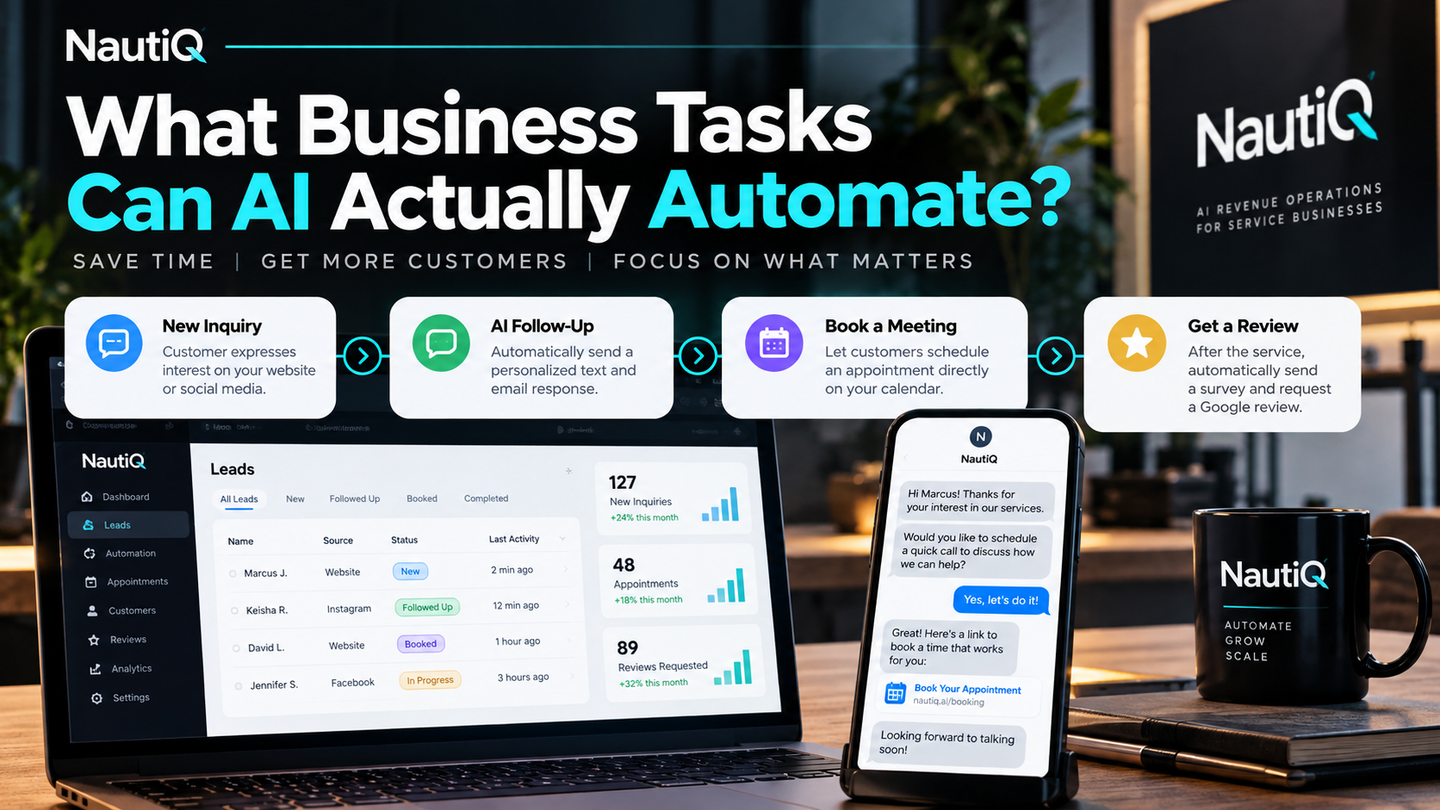
Artificial intelligence can help businesses answer customer questions, follow up with leads, schedule appointments, and manage everyday operations.
But here's something I believe every business owner should understand: Not everything needs AI. Sometimes, you just need automation.
Through my experience working with enterprise AI systems, cybersecurity, and building NautiQ, my AI-powered services company, I've learned that technology should solve business problems, not create unnecessary complexity.
For small business owners, the goal should be simple: Automate tasks that save you time, generate revenue, or improve the customer experience.
Let's explore what businesses can actually automate, when AI makes sense, and where humans should remain involved.
What's the Difference Between AI and Automation?
Before investing in AI, it's important to understand the difference.
Traditional automation follows predefined rules. AI can interpret information, generate responses, and handle tasks requiring more flexibility.
For example, when someone completes a form on your website, automation can immediately send a confirmation email, deliver a product, or provide an appointment scheduling link.
You don't need AI for that.
However, if a customer asks a detailed question about your services, AI could interpret their request and provide an appropriate response using approved business information.
My recommendation is to use traditional automation whenever possible and introduce AI only when it adds meaningful value.
1. Customer Inquiries and Lead Follow-Ups
One of the most valuable tasks businesses can automate is responding to potential customers.
I've worked on workflows where someone expresses interest in a service and automatically receives a text message or email.
Depending on the customer's action, the system can:
- Send an immediate confirmation message.
- Deliver a requested product or resource.
- Provide a link to schedule an appointment.
- Confirm that a meeting has been booked.
- Send follow-up communication.
This establishes communication without requiring the business owner to respond manually every time.
For small businesses, this is especially valuable because missed inquiries can mean missed revenue.
Does this require AI? Usually not. Traditional automation can handle most follow-up sequences. AI becomes useful when responses require understanding customer questions or personalizing information.
2. Appointment Scheduling and Reminders
Many business owners spend unnecessary time coordinating appointments.
Instead of exchanging multiple messages to find an available time, businesses can automate the scheduling process.
A scheduling system can:
- Display available appointments.
- Allow customers to book online.
- Send confirmation emails or texts.
- Deliver appointment reminders.
- Provide cancellation or rescheduling options.
This helps reduce administrative work and creates a smoother customer experience.
AI isn't necessary unless you want customers to schedule appointments through a conversational assistant.
3. Google Reviews and Customer Feedback
Another valuable automation opportunity is requesting customer reviews.
Business owners often finish providing a service and forget to ask customers about their experience.
Instead, businesses can automatically send a text message after an appointment or completed service.
That message can include a short customer satisfaction survey and a link to leave a Google review.
For example, the workflow might:
- Send a thank-you message after service completion.
- Ask customers to complete a short survey.
- Provide a Google review link.
- Notify the owner when feedback requires attention.
Review requests should follow Google's policies, including avoiding incentives or selectively soliciting only positive reviews.
AI could help summarize feedback and identify recurring customer complaints, but the review request itself only requires automation.
4. Customer Service and Frequently Asked Questions
Think about how often businesses answer the same questions.
Customers regularly ask about operating hours, pricing, services, availability, and appointment policies.
An automated FAQ system can answer straightforward questions, while an AI chatbot can interpret more conversational requests.
For example, a customer might ask, "Which service would be best for my situation?"
An AI assistant could use approved business information to explain the available options.
However, I believe sensitive customer complaints and unusual situations should still involve a human.
Automation should improve customer service, not eliminate personal relationships.
5. Marketing and Administrative Tasks
Businesses can also automate repetitive marketing and administrative activities.
Examples include:
- Sending welcome emails to new subscribers.
- Adding leads to a customer relationship management (CRM) system.
- Sending invoices and payment reminders.
- Scheduling approved social media posts.
- Organizing customer information.
- Generating recurring business reports.
- Creating reminders for unfinished tasks.
AI can add value by drafting content, summarizing information, or identifying patterns in business data.
However, not every task requires an intelligent system. Many can be handled with simple integrations between existing software.
How Do You Know What to Automate First?
When evaluating a business, I wouldn't start by asking which AI tools the owner wants.
I'd start by reviewing their lead generation system and customer journey to identify the biggest bottleneck.
A typical customer journey looks like this:
- A potential customer discovers your business.
- They visit your website or social media page.
- They submit an inquiry.
- Your business responds.
- They schedule an appointment.
- They purchase your product or service.
- They receive follow-up communication.
- They're encouraged to provide feedback or return.
Each stage represents an opportunity for automation.
But not every business has the same problem.
One company might struggle to generate leads. Another might generate plenty of leads but respond too slowly. Another might have excellent customer service but no follow-up process.
Before recommending technology, I want to understand where the business is losing time or money.
Start With One Problem
My recommendation is to identify one repetitive task that directly affects revenue or efficiency.
For example, if potential customers regularly submit inquiries but don't receive timely responses, start by automating those responses.
Once that process works reliably, evaluate the next bottleneck.
You don't need to automate your entire business overnight.
What Should Businesses Avoid Automating With AI?
One misconception I see is that businesses should outsource as much work as possible to AI.
I disagree.
From my experience in AI governance and cybersecurity, introducing additional AI systems can create new risks.
These include:
- Exposure of sensitive customer information.
- Unauthorized access through poorly secured integrations.
- Incorrect or misleading AI-generated responses.
- AI systems taking unintended actions.
- Reduced visibility into important business decisions.
The more AI systems you introduce, the more important security, monitoring, and oversight become.
That doesn't mean AI should be avoided. It means businesses should be intentional about where they use it.
Keep Humans Involved Where It Matters
I believe human oversight remains essential for:
- Sensitive customer complaints.
- Major business decisions.
- High-value sales conversations.
- Important customer relationships.
AI can support these activities, but business owners should remain accountable for the outcomes.
A Realistic Example of Small Business Automation
Imagine a local service business where the owner handles customer inquiries, scheduling, and follow-ups manually.
A customer submits a form requesting a service.
Before automation, the owner must read the inquiry, respond, coordinate an appointment, and remember to follow up afterward.
Now imagine a simpler process.
The customer submits the form and immediately receives a confirmation text and scheduling link.
After booking, they receive an appointment confirmation and reminder.
Once the service is completed, the system sends a thank-you message and requests feedback.
The owner still delivers the service and maintains the customer relationship.
Most of this workflow doesn't require AI.
Yet it can reduce administrative work, improve response times, and help the business capture opportunities that might otherwise be missed.
That's the type of practical automation I believe small businesses should prioritize.
Final Thoughts: Automate for Results, Not for the Sake of AI
AI offers tremendous opportunities for small businesses, especially owners who don't have the resources to hire large teams.
But the objective shouldn't be to introduce AI everywhere.
It should be to identify where technology can produce measurable improvements.
My approach is straightforward:
- Review your customer journey.
- Identify the biggest bottleneck.
- Automate repetitive tasks.
- Introduce AI only when necessary.
- Maintain human oversight.
- Measure the time saved and business results.
At NautiQ, this is how I think about helping businesses use technology more effectively.
Keep AI to a minimum. Use automation where it makes you money or saves you time.
The smartest business isn't necessarily the one using the most AI. It's the one using the right technology to solve the right problems.